

Download F Secure Flashback Removal Tool – Free Mac Trojan Cleaner, Secure & Easy
Introduction & Overview
The F‑Secure Flashback Removal Tool is a lightweight, free utility designed specifically for macOS users who suspect they have been compromised by the infamous Flashback Trojan. First spotted in 2011, the Flashback malware infected hundreds of thousands of Macs by exploiting a Java vulnerability, turning affected machines into silent bots for malicious activity. While modern macOS versions have largely patched the original flaw, remnants of the Trojan can still linger on older systems or re‑appear through outdated software.
F‑Secure’s solution offers a one‑click, non‑technical way to scan, detect, and eradicate the malicious code without needing to open Terminal or navigate complex command‑line instructions. The tool is packaged as a simple ZIP file; after extraction, users double‑click the application and follow an intuitive wizard that guides them through a system check and, if needed, an automated cleanup. Its primary advantage lies in the combination of ease‑of‑use and the reputation of F‑Secure, a long‑standing security vendor trusted by millions worldwide.
Whether you are a casual Mac user, a small business owner, or an IT professional managing multiple workstations, the Flashback Removal Tool provides a quick safety net that can be deployed in minutes, helping you restore confidence in your Mac’s integrity.
Key Features
- Automatic Detection: Scans the entire system for known Flashback signatures, eliminating the need for manual file hunting.
- One‑Click Removal: Once an infection is identified, the tool removes malicious files and restores altered system permissions automatically.
- Zero‑Terminal Required: No command‑line knowledge is necessary; the graphical interface walks users through each step.
- Free of Charge: Fully functional without any hidden fees, making it accessible for all Mac owners.
- Lightweight & Fast: The application is under 5 MB and completes a full scan in less than five minutes on typical hardware.
- Secure Updates: Periodic signature updates are delivered via a secure HTTPS connection to keep detection current.
- Detailed Log Report: After cleaning, users receive a readable log that outlines detected threats and actions taken.
- Compatibility Confirmation: The tool verifies macOS version before running, ensuring it only operates on supported systems.
Installation & How to Use the Tool
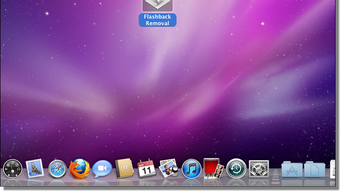
Getting started with the F‑Secure Flashback Removal Tool is intentionally straightforward. First, download the ZIP package from the official F‑Secure website or a trusted software repository. Once the download completes, locate the file in your Downloads folder and double‑click it to unzip; macOS will automatically create a new folder containing the application. Open the folder and double‑click the FlashBack Removal.app icon. A security warning may appear, asking if you’re sure you want to open an app from an unidentified developer; click “Open” to proceed.
The application launches a concise welcome screen that explains the purpose of the scan. Click “Start Scan” to initiate the detection process. The tool then checks key system directories, Java caches, and launch agents for known Flashback components.
While the scan runs, a progress bar provides real‑time feedback, and you can view which files are being examined. If the scanner finds malicious remnants, a clear alert appears, offering the option to “Remove Infections.” Selecting this option triggers the removal engine, which safely deletes the identified files and restores default permissions. After cleanup, the program presents a summary screen with a downloadable log file for your records.
Finally, close the application; no reboot is required, although a quick restart can help verify that all changes have taken effect.
Compatibility, Pros & Cons
The F‑Secure Flashback Removal Tool is built for macOS versions 10.6 (Snow Leopard) through 12 (Monterey). It will not run on iOS, Windows, or Linux platforms, and it is not compatible with macOS Ventura (13) due to changes in system integrity protection. Users on unsupported versions will receive an informative message prompting them to upgrade or seek alternative solutions.
Pros
- Completely free, no hidden charges.
- Designed for non‑technical users; no terminal commands needed.
- Fast scanning and removal process.
- Trusted brand behind the software.
- Provides a detailed log for transparency.
Cons
- Only targets the Flashback Trojan; does not replace a full‑featured antivirus.
- No support for macOS Ventura and later.
- Limited to a single‑use cleanup; does not offer real‑time protection.
- Requires manual download of updates for the latest signatures.
FAQ & Conclusion
Is the Flashback Removal Tool safe to use on my Mac?
Yes. The tool is digitally signed by F‑Secure and runs in a sandboxed environment. It only accesses files known to be associated with the Flashback Trojan, minimizing any risk to legitimate data.
Do I need an internet connection for the scan?
An internet connection is required only for the initial signature update. Once the latest definitions are downloaded, the scan can be performed offline.
Can the tool remove other types of malware?
No. The application is specialized for the Flashback Trojan. For broader protection, consider installing a full‑featured antivirus solution alongside this cleanup tool.
How often should I run the Flashback Removal Tool?
If you regularly update macOS and Java, running the tool once a year is sufficient. However, after any suspicious activity or after downloading software from unknown sources, a quick scan is advisable.
What should I do if the tool cannot remove an infection?
In rare cases, a stubborn component may be locked by the system. Restart your Mac in Safe Mode and rerun the tool. If the problem persists, contact F‑Secure support or consider a professional Mac repair service.
In summary, the F‑Secure Flashback Removal Tool offers a quick, free, and user‑friendly solution for anyone who needs to verify and clean a Mac infected with the Flashback Trojan. Its point‑and‑click interface removes the intimidation factor often associated with malware removal on macOS, while the backing of a reputable security vendor adds confidence to the process. Although it does not replace comprehensive antivirus software, it fills a crucial niche for targeted cleanup. If you suspect your Mac might be part of the 600,000‑plus machines historically affected, download the tool today, run the scan, and restore your system’s peace of mind with just a few clicks.
Pros: Free, easy to use, fast scanning, reputable brand.
Cons: Limited to Flashback, no real‑time protection, not compatible with newest macOS releases.







